Standard Operating Procedure (SOP-02): Blocked Cards Fraud Lockout & Reinstatement
Document Control:
* SOP Code: CPL-SOP-GOV-002
* Publisher: CPL Real Rewards Team
* Technical Maintenance: Systems Developer
* Effective Date: October 2026
* Target Audience: Store Supervisors, Loss Prevention, Head Office Checkers, Internal Audit
* Applicable Environments: Staging & Production
* Document Status: Production Approved
1. Purpose & Business Objective
To define the governance policy, automated security triggers, and operational authorization protocols for suspending, locking down, and reinstating member loyalty cards that have been compromised, stolen, or flagged for fraudulent activity.
2. The 5 Confirmed Blocked Accounts
As part of the October 2026 security audit, five customer cards were flagged for suspected compromise or card duplication and placed under administrative lockout:
| RRP Card Number | Customer Name | Contact Info | Available Points | Status |
|---|---|---|---|---|
| CPLR000424926 | Christina Peter | cpeter988@gmail.com / 67579613014 |
0 Pts | Card Blocked |
| CPLR000455873 | CPLR000455873 | akailynna@gmail.com |
0 Pts | Card Blocked |
| CPLR000573937 | Joseph Napu | hmero@bsp.com.pg |
0 Pts | Card Blocked |
| CPLR000281749 | Joshua Lana | (No email on record) | 0 Pts | Card Blocked |
| CPLR000503225 | Pricilla Lokowai | 67579041640 |
0 Pts | Card Blocked |
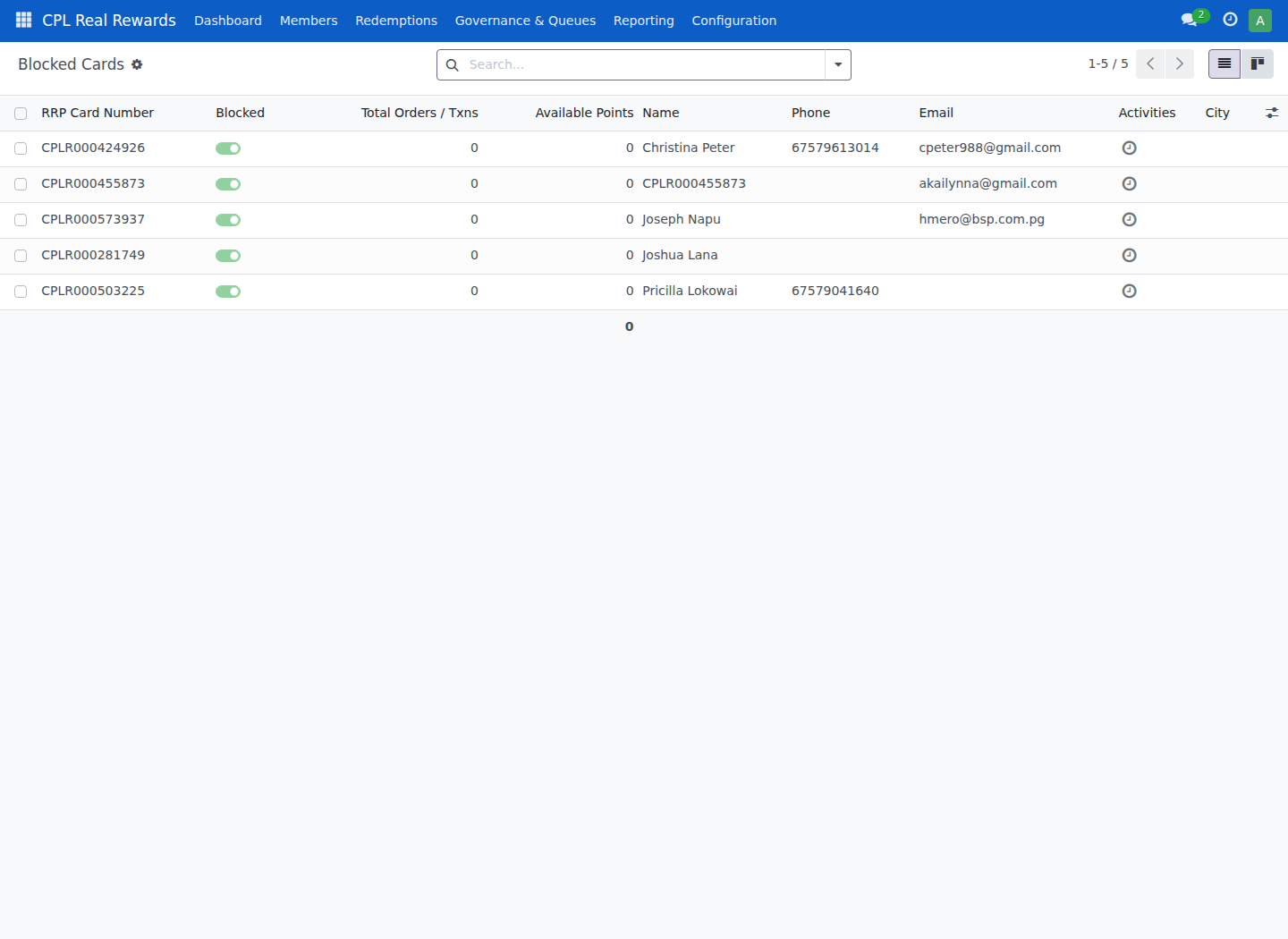 Figure 1: Blocked Cards list view showing all 5 suspended accounts with 0 Points available.
3. Automated Security Triggers & System Enforcement
When an account is flagged with is_card_blocked = True:
flowchart TD
    BlockAction["Checker clicks 'Block Card'"] --> DB["res.partner.is_card_blocked = True"]
    DB --> ZeroTill["POS Till Balance locked at 0 Pts<br/>(No In-Store Redemptions)"]
    DB --> Ribbon["Displays Red 'Card Blocked' Ribbon<br/>and Status Badge on Profile"]
    DB --> QuarantineRouting["Subsequent Till Scans Diverted<br/>to Quarantined Cards Queue"]
DB --> Audit["Action & Reason Recorded in Odoo Chatter"]- Zero Points on Tills:
loyalty_points_availableis forced to0 Ptson checkout registers. Even if an account has historical accrued points, they cannot be burned or redeemed at the till while suspended.- Visual Governance Ribbon:
- A prominent red corner ribbon
Card Blockedis rendered across the top right of the member profile, ensuring immediate recognition by any staff member. - Quarantine Scan Routing:
- Any attempt to scan a blocked physical barcode at a retail till automatically bypasses normal earning and deposits the transaction into Governance & Queues > Quarantined Cards Queue tagged as
Blocked Card Scan.
4. Step-by-Step Operating Instructions
Direct Menu Navigation:
- Members > Blocked Cards: Direct filtered list of all blocked profiles.
- Governance & Queues > Blocked Cards: Governance overview of active suspensions.
How to Block a Card (Checkers / Admins Only):
- Navigate to Members > Real Rewards Members and search for the target profile.
- Verify customer reports of card loss, theft, or unusual transaction spikes.
- Click the Block Card button in the header before the sheet.
- Confirm the prompt. The profile instantly updates with the red ribbon and status badge.
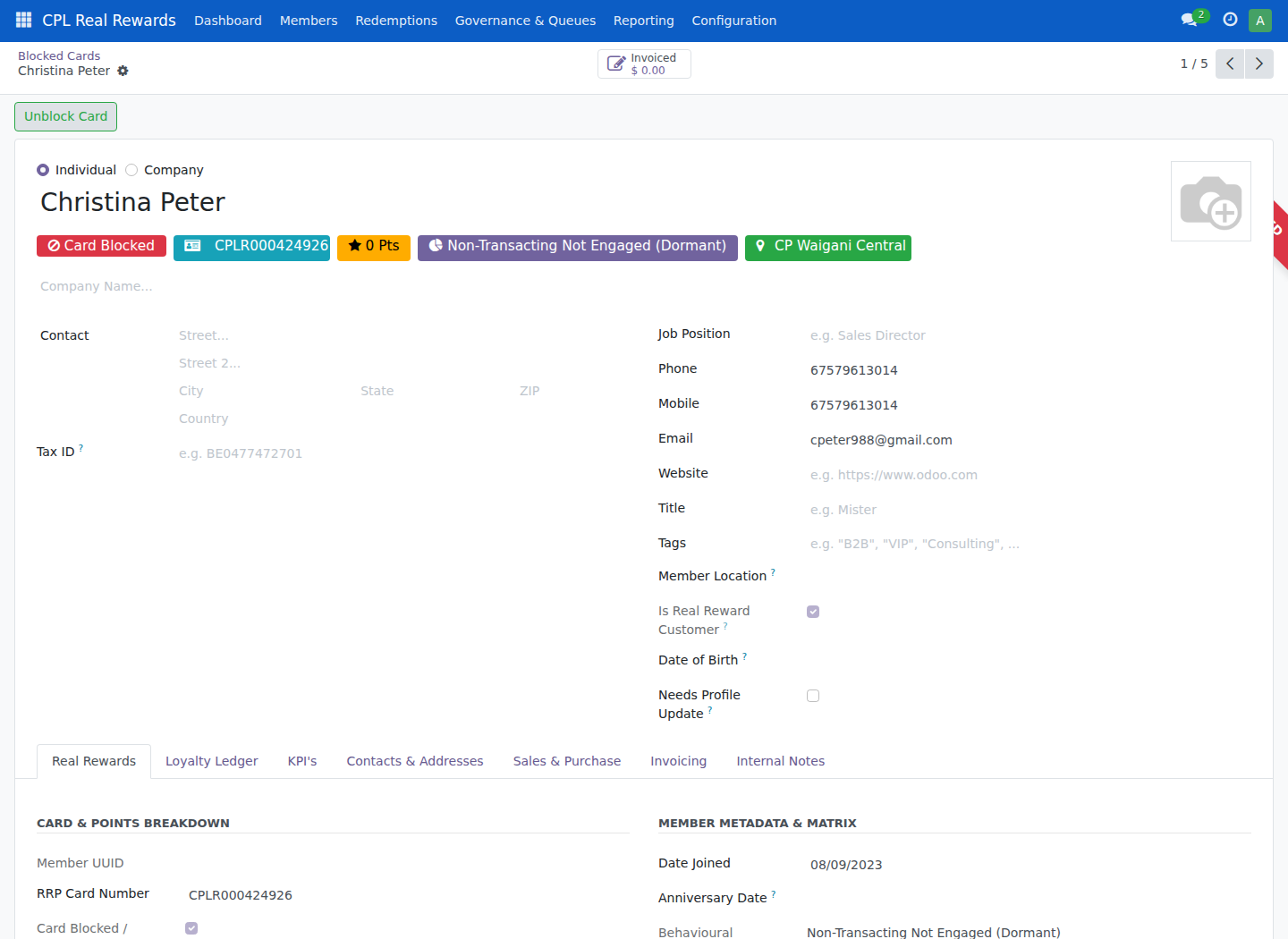 Figure 2: Member profile displaying the red 'Card Blocked' ribbon, 0 Pts balance, and Unblock Card header button.
How to Unblock a Card (Checkers / Admins Only):
- Navigate to Members > Blocked Cards.
- Open the blocked customer profile.
- Review retail management clearance notes or identity re-verification proof.
- Click Unblock Card in the header.
- The red ribbon is removed, the card returns to active status, and till redemption privileges are restored.