SOP-07 & UAT Guide: Margaret CR-01 (STG-TICK-046 & KB-046)
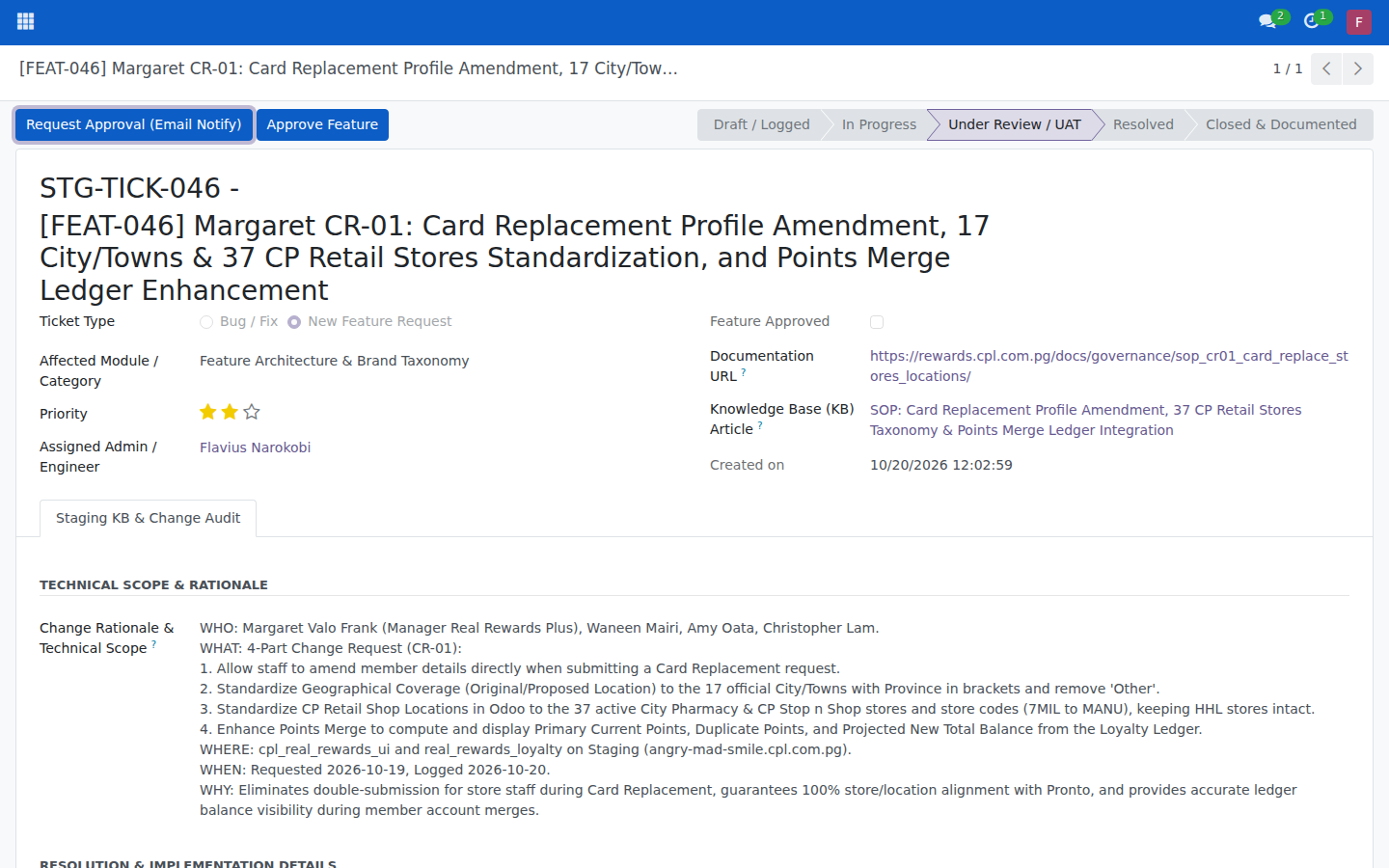
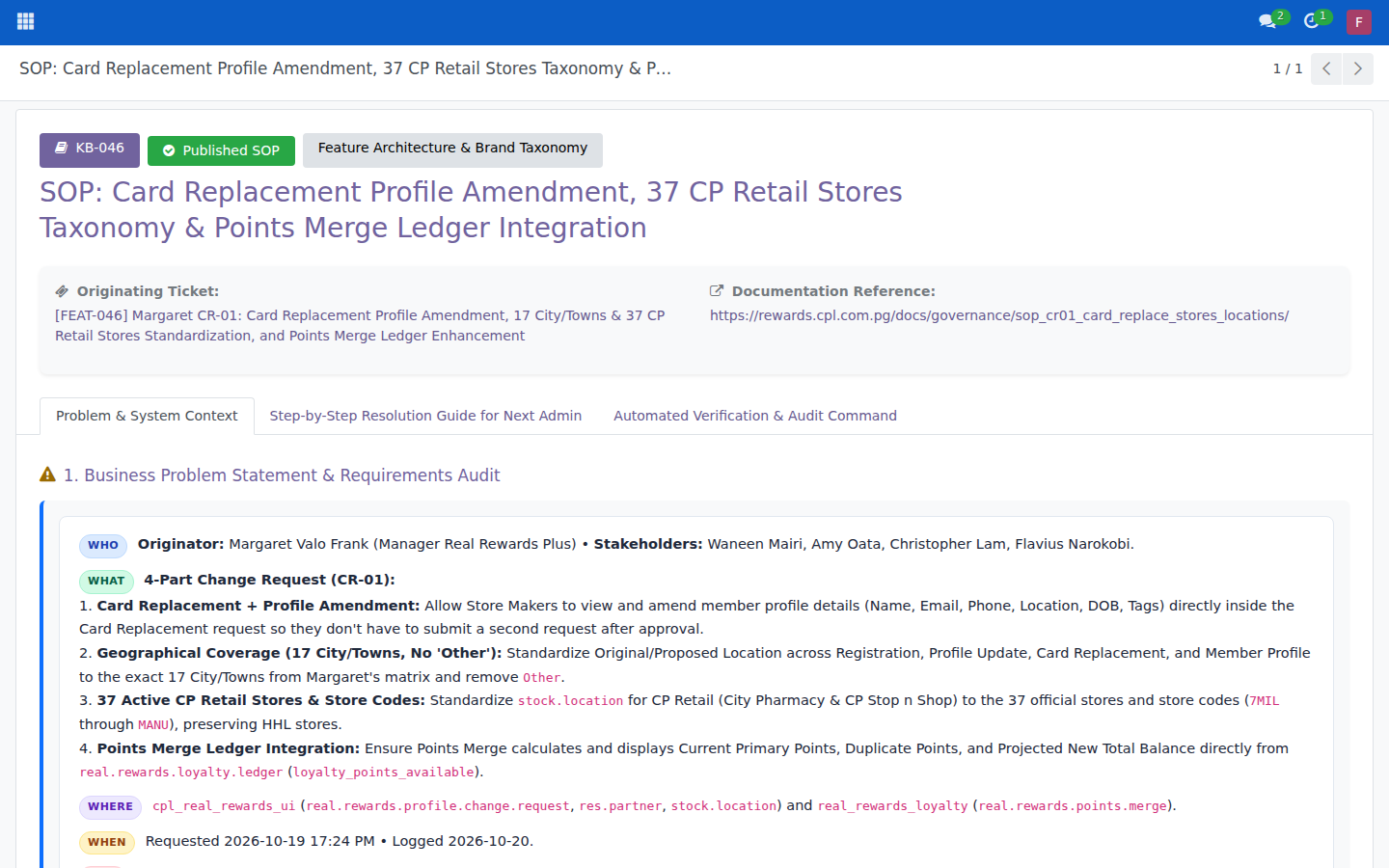
Reference: STG-TICK-046 & KB-046
Originator: Margaret Valo Frank (Manager Real Rewards Plus)
Stakeholders: Waneen Mairi, Amy Oata, Christopher Lam, Flavius Narokobi
Staging Environment: https://angry-mad-smile.cpl.com.pg
Status: Ready for Stakeholder UAT & Feature Gate Approval
1. Executive Summary (5W1H)
- WHO: Requested by Margaret Valo Frank (
mfrank@cpl.com.pg), affecting Store Makers (e.g., Amy Oata), Head Office Checkers (Margaret Frank, Waneen Mairi), and ERP Admins. - WHAT: Implementation of the 4-part Change Request (
CR-01): - Card Replacement + Profile Amendment: Allow staff to view and amend member details (Name, Email, Phone, City/Town Location, Date of Birth, Tags) directly inside the Card Replacement form so they no longer have to submit a second Profile Change Request after approval.
- Geographical Coverage (18 City/Towns, Remove
Other): Standardized theOriginal LocationandProposed Locationdropdowns across New Member Registration, Update Existing Profile, Card Replacement, and Member Profiles to the exact City/Towns from Margaret's table with Province in brackets, and removedOther. - 37 Active CP Retail Stores & Store Codes (
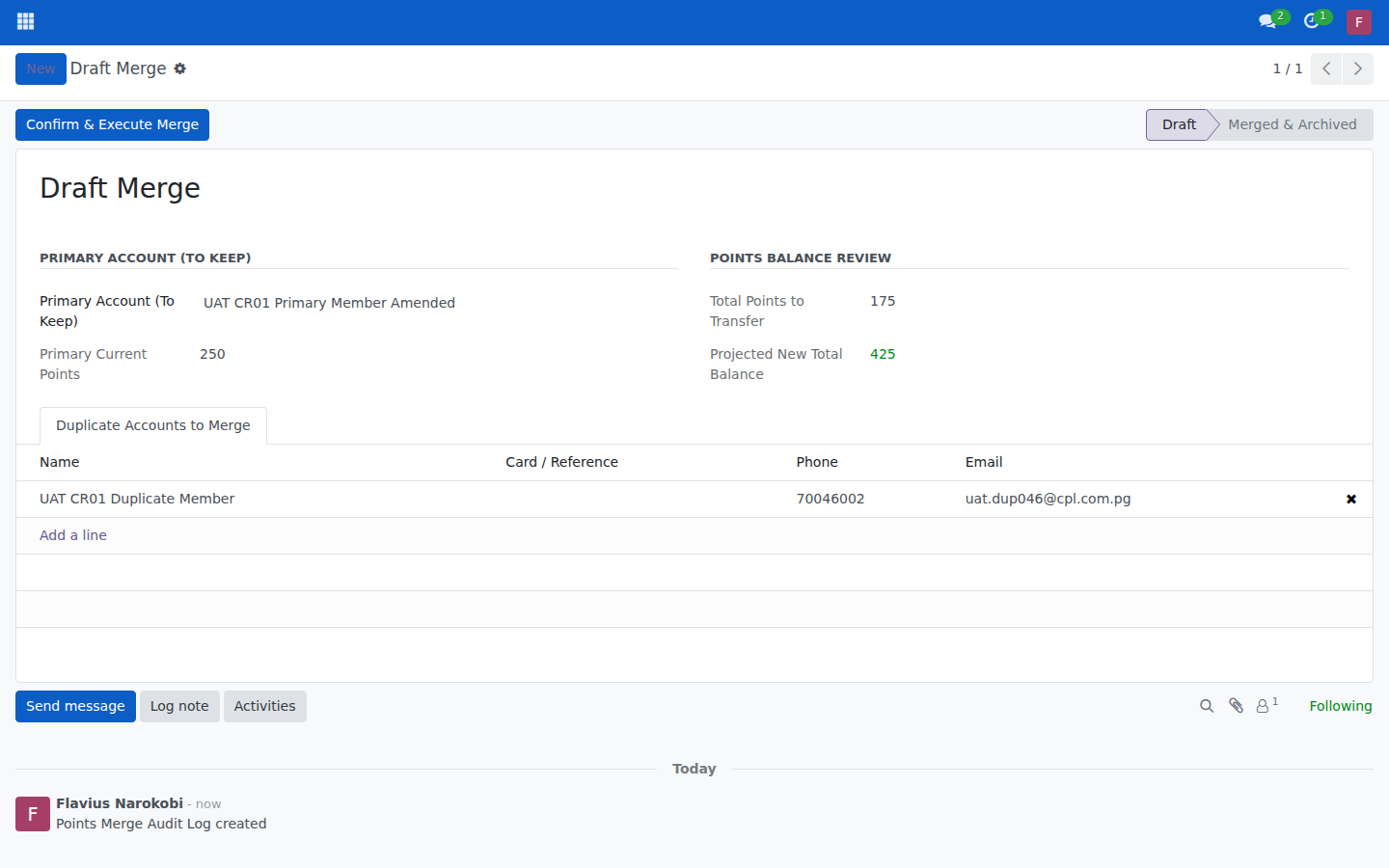
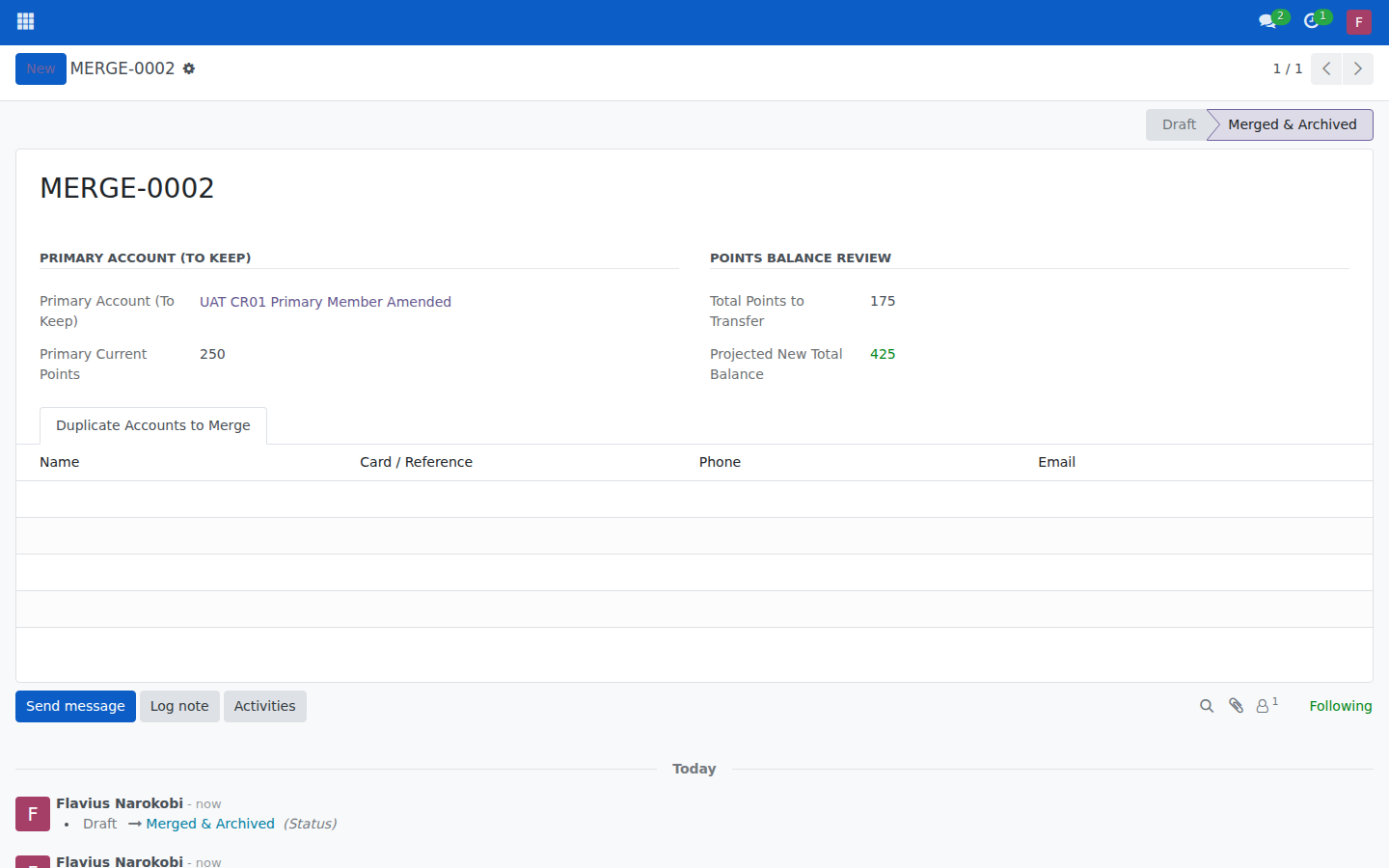
stock.location): Standardized theShop Locationlist in Redemptions and across Odoo to the 37 official active City Pharmacy and CP Stop n Shop branches (7MILtoMANU), while keeping HHL stores active and archiving closed/legacy locations (CP Koki (Closed),CP Airways, etc.). - Points Merge Utility (Ledger Balance Preview): Enhanced the Merge Accounts tool under the Members menu so Administrators and Checkers see the Primary Current Points, Total Points to Transfer, and Projected New Total Balance calculated directly from the Loyalty Ledger (
loyalty_points_available). - WHERE: Staging (
https://angry-mad-smile.cpl.com.pg) — awaiting Checker sign-off onSTG-TICK-046prior to Production promotion.
2. Step-by-Step UAT Testing Guide for Margaret & Team
Test 1: Card Replacement with Simultaneous Member Detail Amendment
- Log into Staging: https://angry-mad-smile.cpl.com.pg
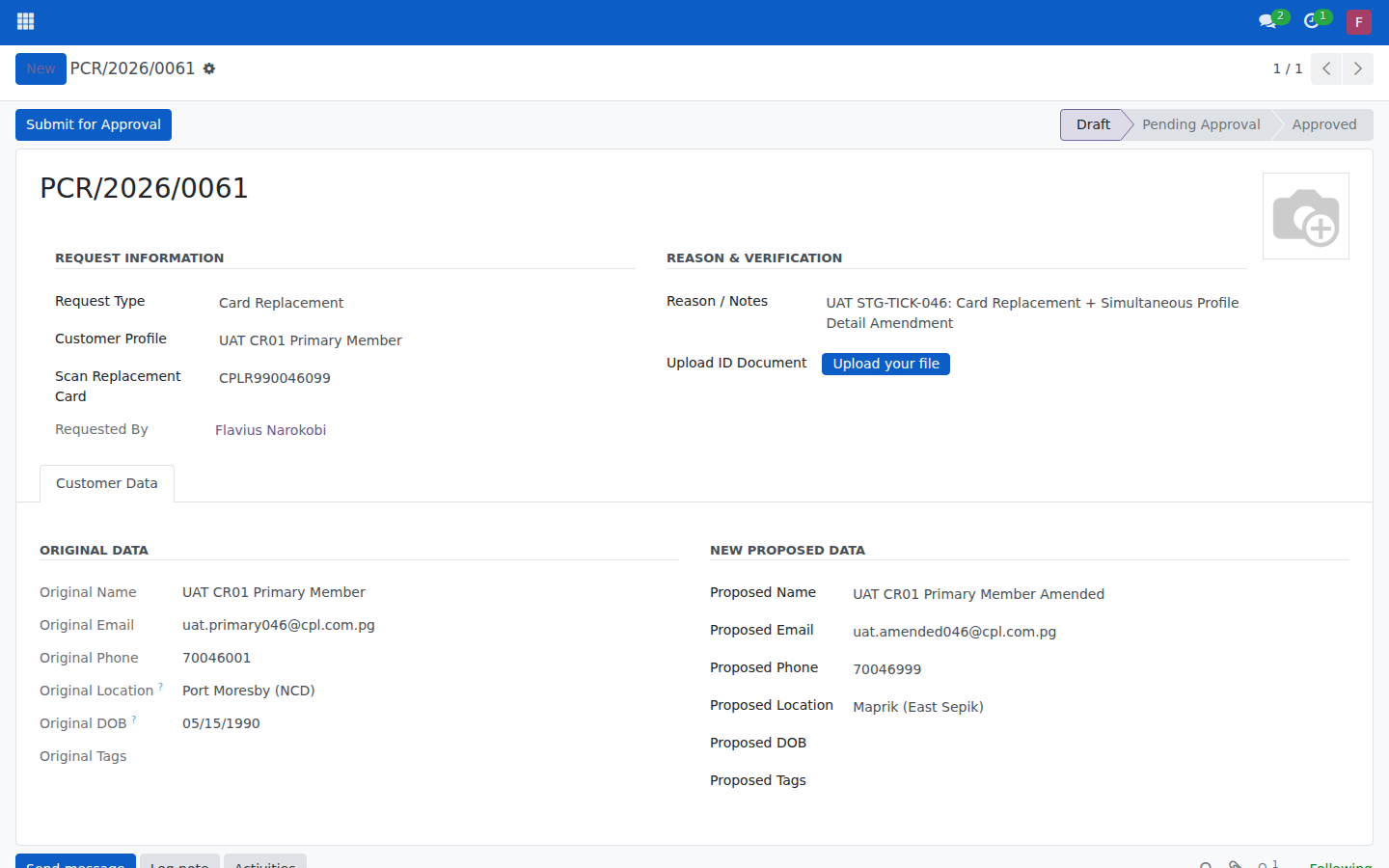
- Navigate to Member Service Requests (or Profile Change Requests) and click New.
- Set Request Type to
Card Replacement. - Select an existing member in Customer Profile (e.g., search by name, phone, or card number).
- Verify Auto-Population: Look at the Customer Data tab at the bottom. You will see both Original Data (read-only) and New Proposed Data pre-filled with the member's current Name, Email, Phone, Location, Date of Birth, and Tags.
- Amend Details & Input Card: Enter the Scan Replacement Card number, upload the verification attachment/reason, and edit any field under New Proposed Data (e.g., update Phone, Email, or Proposed Location).
- Click Submit for Approval.
- As a Checker (Margaret or Waneen), click Approve.
- Expected Result: Open the member's profile — both the new RRP Card Number AND the amended profile details are updated simultaneously in a single approval!
Test 2: Geographical Coverage — 18 Official City/Towns (Other Removed)
- In Member Service Requests, click New and test New Member Registration, Update Existing Profile, or Card Replacement.
- Click the Proposed Location dropdown.
- Expected Result: Confirm that
Other / Outside PNGis completely removed, and only the standardized City/Towns from your table appear: Port Moresby (NCD)Alotau (Milne Bay)Popondetta (Oro)Mt Hagen (Western Highlands)Goroka (Eastern Highlands)Kundiawa (Chimbu)Lae (Morobe)Madang (Madang)Wewak (East Sepik)Maprik (East Sepik)Vanimo (West Sepik)Buka (AROB)Kimbe (West New Britain)Kokopo (East New Britain)Kavieng (New Ireland)Namatanai (New Ireland)Lihir (New Ireland)Manus (Manus)
Test 3: Redemptions Shop Location & 37 Active CP Retail Stores Listing
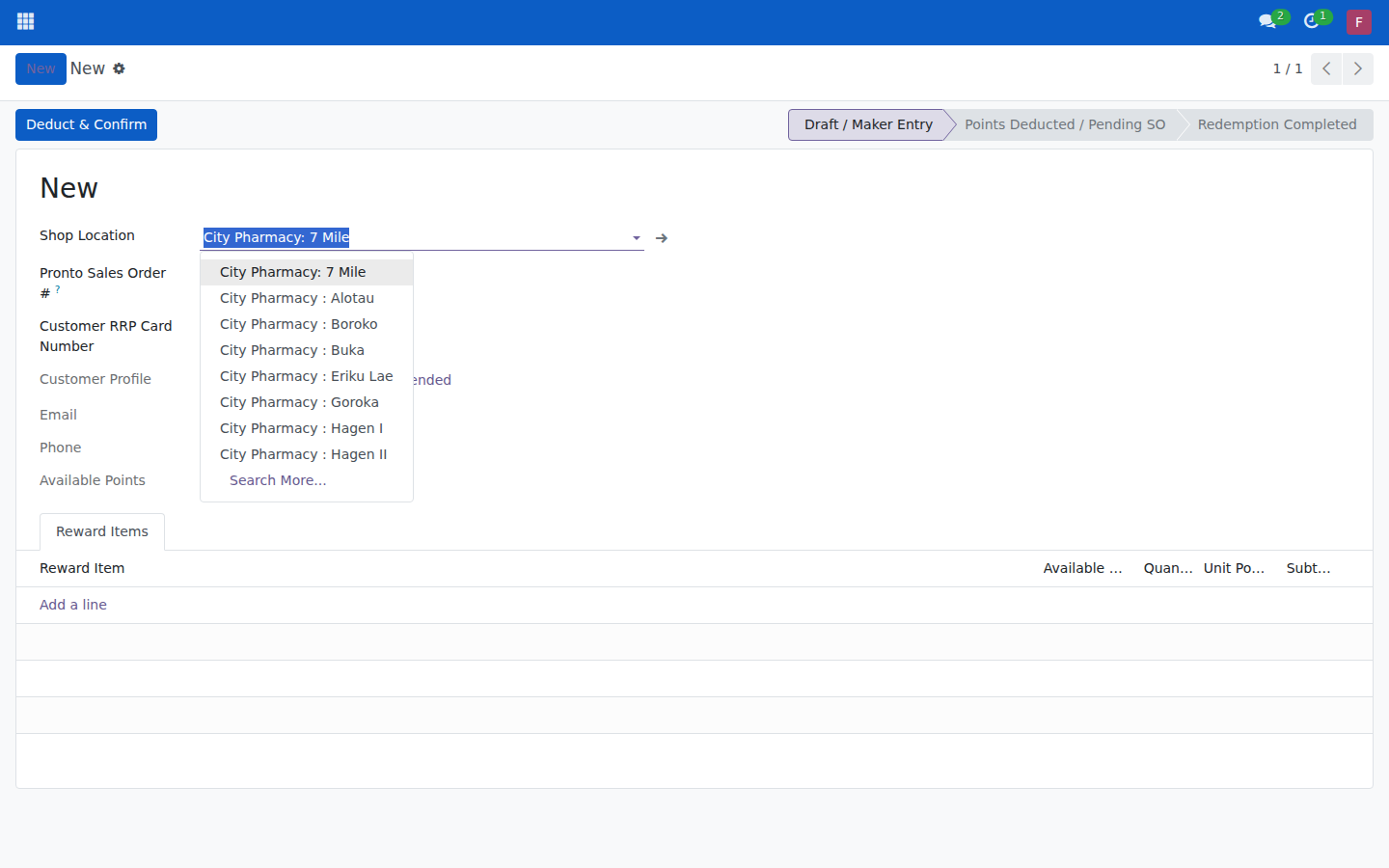
- Navigate to Redemptions and click New.
- Click the Shop Location dropdown (or click Search More... to view the full list).
- Expected Result: Confirm that all 37 active CP Retail stores (
City Pharmacy : ...andCP Stop n Shop : ...) are listed with their corresponding Store Codes, City/Town, and Province (alongside the HHL stores until tomorrow's HHL update):
| Store Code | Warehouse / Store Name in Odoo | City / Town | Province |
|---|---|---|---|
7MIL |
City Pharmacy: 7 Mile | Port Moresby | NCD |
BORO |
City Pharmacy : Boroko | Port Moresby | NCD |
NWAG |
City Pharmacy : North Waigani | Port Moresby | NCD |
METO |
City Pharmacy: Metoreia | Port Moresby | NCD |
PMGH |
City Pharmacy : Port Moresby General Hospital | Port Moresby | NCD |
SHOW |
City Pharmacy : Showroom | Port Moresby | NCD |
VISI |
City Pharmacy : Vision City | Port Moresby | NCD |
Z8MI |
CP Stop n Shop : 8 Mile | Port Moresby | NCD |
ZBAD |
CP Stop n Shop : Badili | Port Moresby | NCD |
ZCEN |
CP Stop n Shop: Waigani Central | Port Moresby | NCD |
ZGER |
CP Stop n Shop : Gerehu | Port Moresby | NCD |
ZTOW |
CP Stop n Shop : Town | Port Moresby | NCD |
ALOT |
City Pharmacy : Alotau | Alotau | Milne Bay |
POPO |
City Pharmacy : Popondetta | Popondetta | Oro |
HAGE |
City Pharmacy : Hagen I | Mt Hagen | Western Highlands |
HAG2 |
City Pharmacy : Hagen II | Mt Hagen | Western Highlands |
HAG3 |
City Pharmacy : Hagen III | Mt Hagen | Western Highlands |
HAG4 |
City Pharmacy : Hagen IV | Mt Hagen | Western Highlands |
GORO |
City Pharmacy : Goroka | Goroka | Eastern Highlands |
KUND |
City Pharmacy : Kundiawa | Kundiawa | Chimbu |
LAE1 |
City Pharmacy : Lae | Lae | Morobe |
LAE2 |
City Pharmacy : Lae II | Lae | Morobe |
ERIK |
City Pharmacy : Eriku Lae | Lae | Morobe |
MADA |
City Pharmacy : Madang | Madang | Madang |
MAD2 |
City Pharmacy : Madang II | Madang | Madang |
WEWA |
City Pharmacy : Wewak | Wewak | East Sepik |
WEW2 |
City Pharmacy: Wewak 2 | Wewak | East Sepik |
MAPR |
City Pharmacy : Maprik | Maprik | East Sepik |
VANI |
City Pharmacy : Vanimo | Vanimo | West Sepik |
GAUK |
City Pharmacy : Buka | Buka | AROB |
KIMB |
City Pharmacy : Kimbe | Kimbe | West New Britain |
KIM2 |
City Pharmacy : Kimbe II | Kimbe | West New Britain |
KOK2 |
City Pharmacy : Kokopo II | Kokopo | East New Britain |
KAVI |
City Pharmacy : Kavieng | Kavieng | New Ireland |
NAMA |
City Pharmacy : Namatanai | Namatanai | New Ireland |
LIHR |
City Pharmacy : Lihir | Lihir | New Ireland |
MANU |
City Pharmacy : Manus | Manus | Manus |
Test 4: Merging of Members (Points Merge Utility)
- In the top navigation bar, click Members $\rightarrow$ Merge Accounts.
- Click New.
- Select the Primary Account (To Keep). Its current point balance automatically appears in Primary Current Points.
- Under Duplicate Accounts to Merge, click Add a line and search/select the duplicate member account(s).
- Review Total Points: Before confirming, review:
- Primary Current Points
- Total Points to Transfer (sum of points from selected duplicate accounts)
- Projected New Total Balance (Primary + Duplicate points)
- Click Confirm & Execute Merge.
- Expected Result:
- A negative adjustment (
-points) is recorded on the duplicate account's Loyalty Ledger referencing the merge. - A positive adjustment (
+points) is recorded on the primary account's Loyalty Ledger referencing the merge. - The duplicate account is renamed with
[MERGED]and archived (Active = False).
3. How to Approve for Production Promotion (STG-TICK-046)
Once you are satisfied with your UAT testing on Staging:
1. Open Staging Helpdesk Tickets (https://angry-mad-smile.cpl.com.pg/web#model=real.rewards.staging.ticket&view_type=list).
2. Click on STG-TICK-046 ([FEAT-046] Margaret CR-01: Card Replacement Profile Amendment, 18 City/Towns & 37 CP Retail Stores Standardization, and Points Merge Ledger Enhancement).
3. Click the blue Approve Feature button at the top left of the ticket.
4. Once approved, we will immediately promote the changes to Production (https://rewards.cpl.com.pg).